
Three ways in
One server, one account, three ways to use it — and all three show the same records the moment they change:
- The web app, at
<your server>/app: on a phone (add it to the home screen), in any browser, and in the desktop app, which is the same page in a window of its own. - The terminal app,
cmwith nothing after it: the workspace in a terminal, with a mouse and with keys. - The command line,
cm <resource> <action>: for scripts, pipes, and the hundredth time in a day.
A Quill is a tab in the first two and a command in the third, from one description. Nothing is kept from a surface on purpose — only by what the surface can do: a browser cannot mount a share, and a terminal has no camera.
The Tasks Quill, on each:
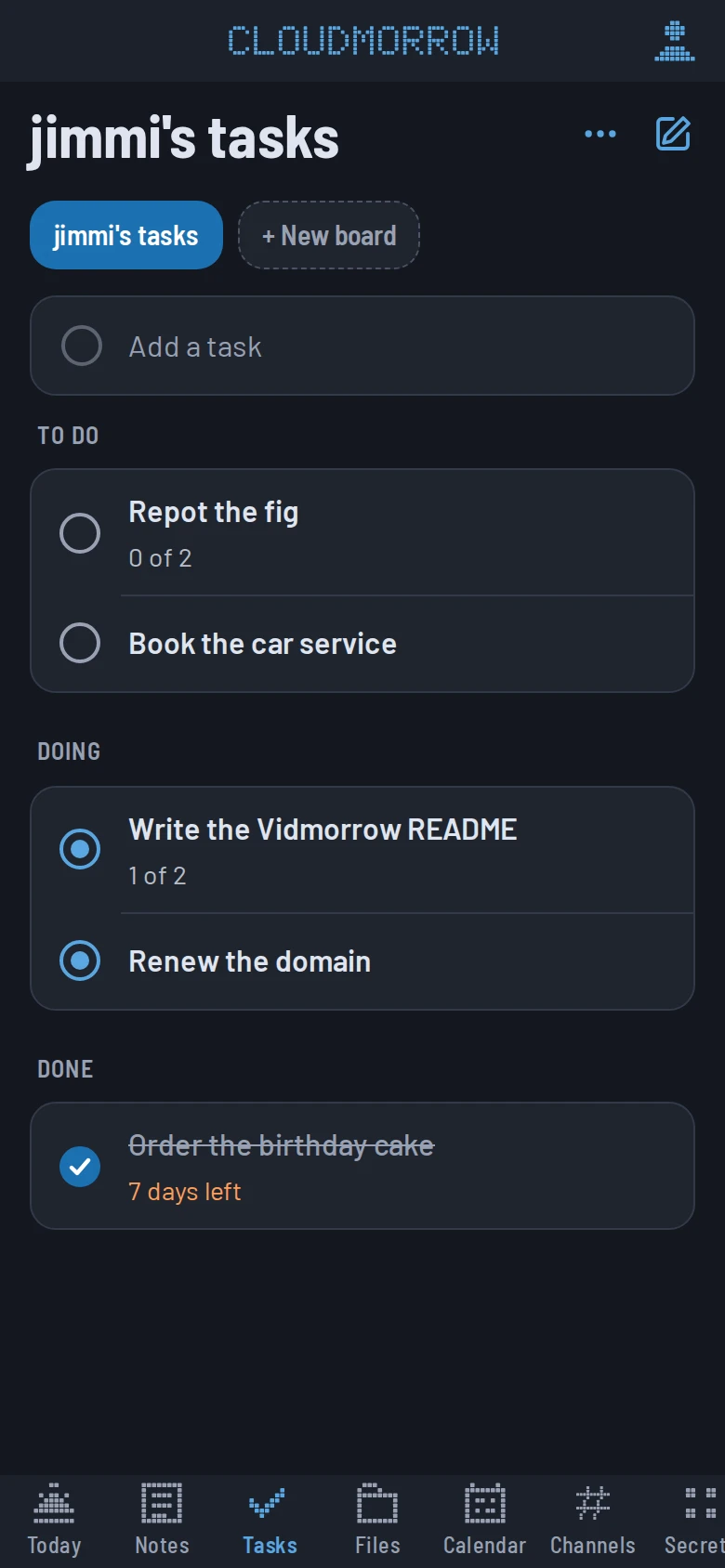
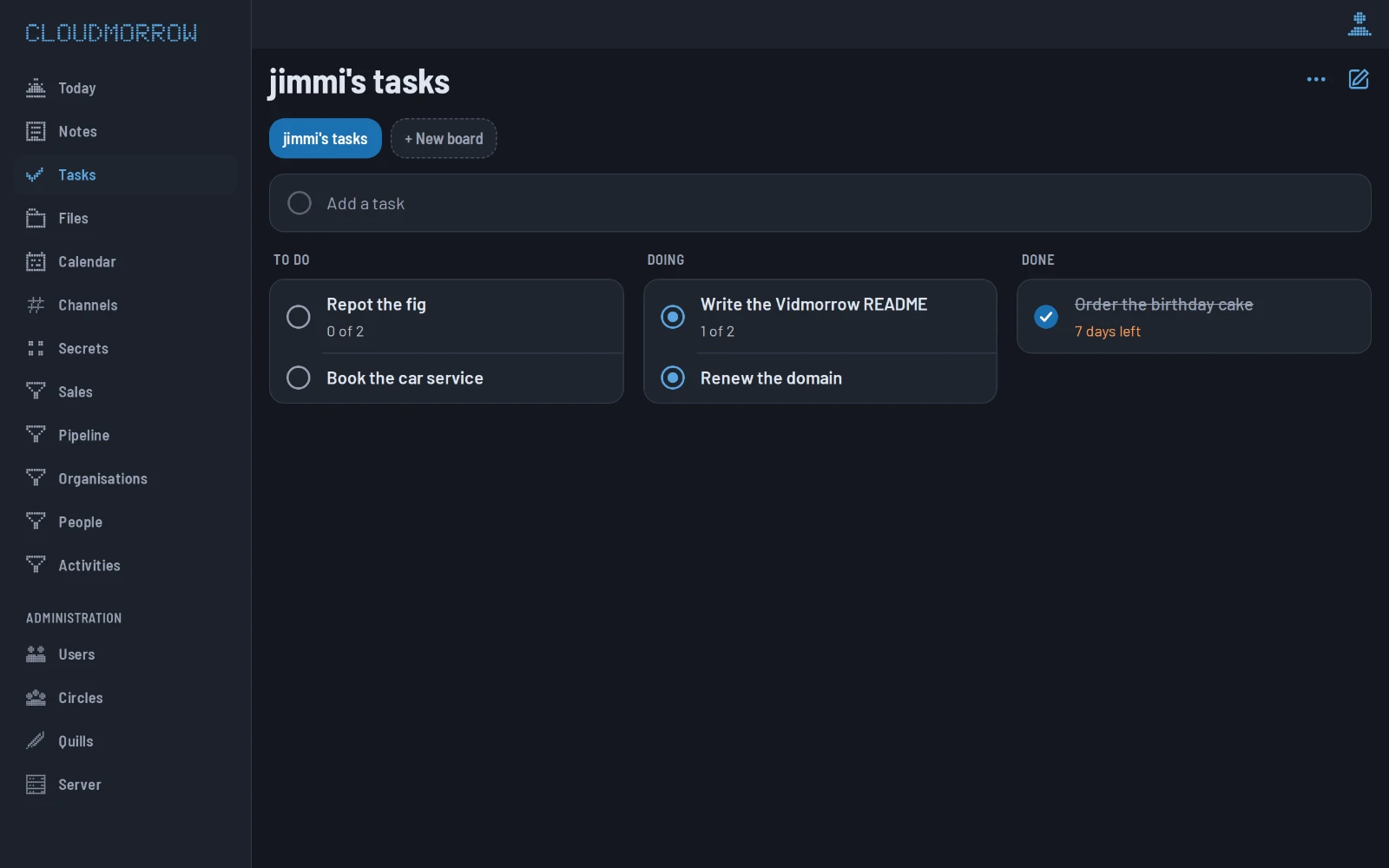
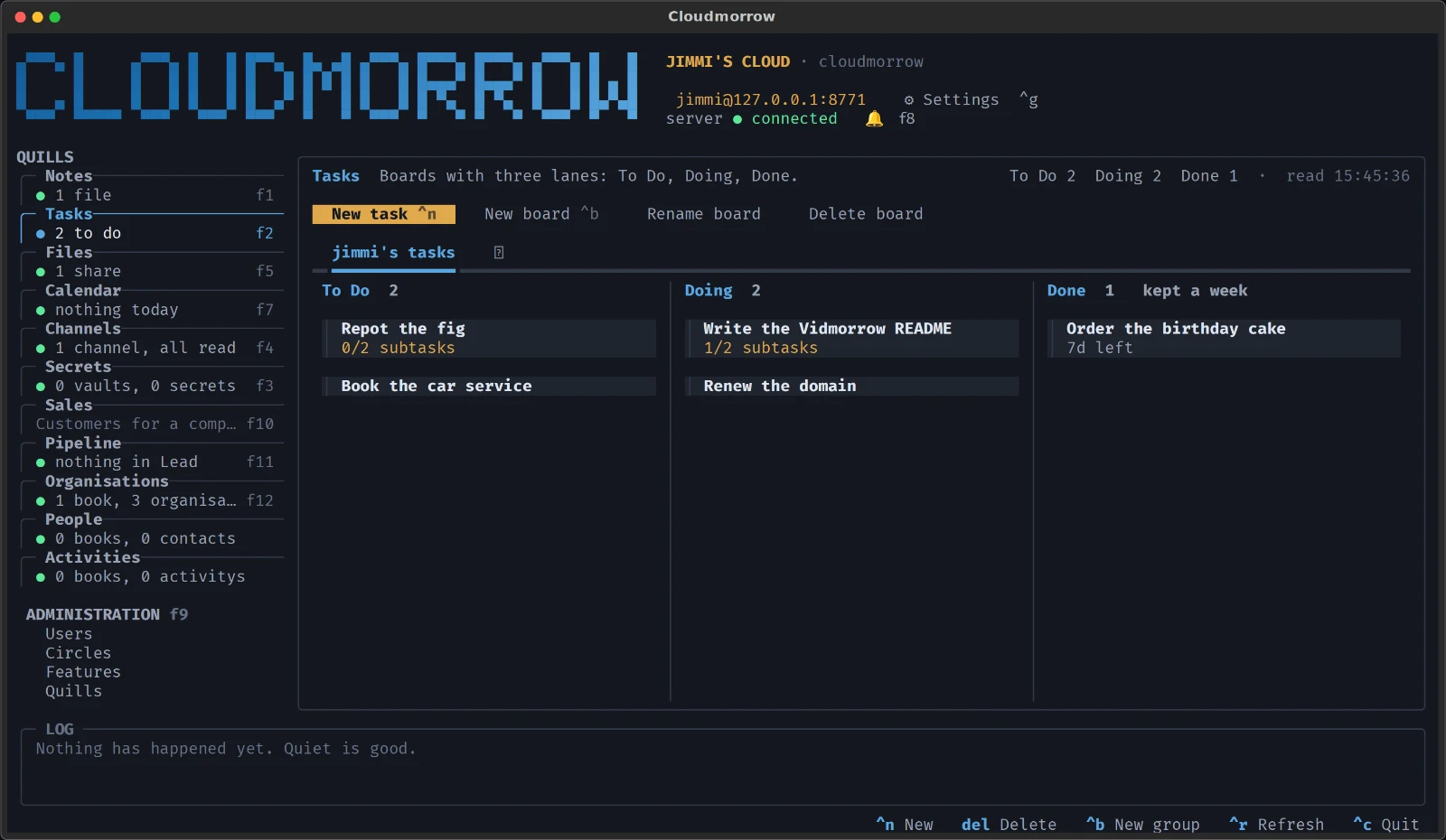
Signing in. The same username and password everywhere.
In the web app
Open https://<your server>/app and sign in. The token stays in the
browser for as long as the server's token_ttl_hours says (thirty days by
default), so it is one sign-in, not one per visit. On a phone, share-sheet
→ Add to Home Screen makes it an app of its own: an icon, no browser
chrome, and it opens where you left it.
In the terminal app
cm opens the workspace. The first time it asks for the server's address,
your username and your password, and keeps all three — in
~/.config/cloudmorrow/, where the command line finds them too — so the
next cm opens straight on your notes.
On the command line
curl -fsSL https://<your server>/install.sh | sh   # once per machine: cm, the terminal app, the desktop app
cm login -u ada                                     # asks for the password; with no server set, finds one on the home network
cm whoami                                           # who you are, where, and the default vault
Adding a device. Everything a new device needs, at the address you are
signed in to: a computer runs the install command, a phone opens /app
and is added to the home screen, an assistant that speaks MCP is given
/mcp.
In the web app
Me → Add a device: the command to copy for a computer, a QR code for a phone, and the address for an assistant.
In the terminal app
Settings (ctrl+g) → Add a device: the same, as text to copy.
On the command line
The install command is the device being added:
curl -fsSL https://<your server>/install.sh | sh
cm login
Where things are. The same thing, on each surface:
| the web app | the terminal app | the command line | |
|---|---|---|---|
| a Quill | its tab | its card (f1, f2, …) |
cm <quill> list, add, show, … |
| one record | tap its row: the sheet | enter on its row: the sheet |
cm <quill> show <id> |
| you, and your switches | Me, top right | Settings, ctrl+g |
cm whoami, cm config |
| what the machines did | the bell, top right | the bell, f8 |
cm agent list, cm agent jobs <id> |
| administration | Administration in the rail on a computer; Me → Administration on a phone | Administration, f9 |
cm circle, cm role, cm quill; accounts with cloudmorrow-server user on the box |
| what waits for your yes, and your flows | Me → Waiting for you, Me → Flows | not yet | cm approvals, cm approve, cm flow list |
From docs/MANUAL.md in the Cloudmorrow repository. Something wrong? A pull request there fixes it here.