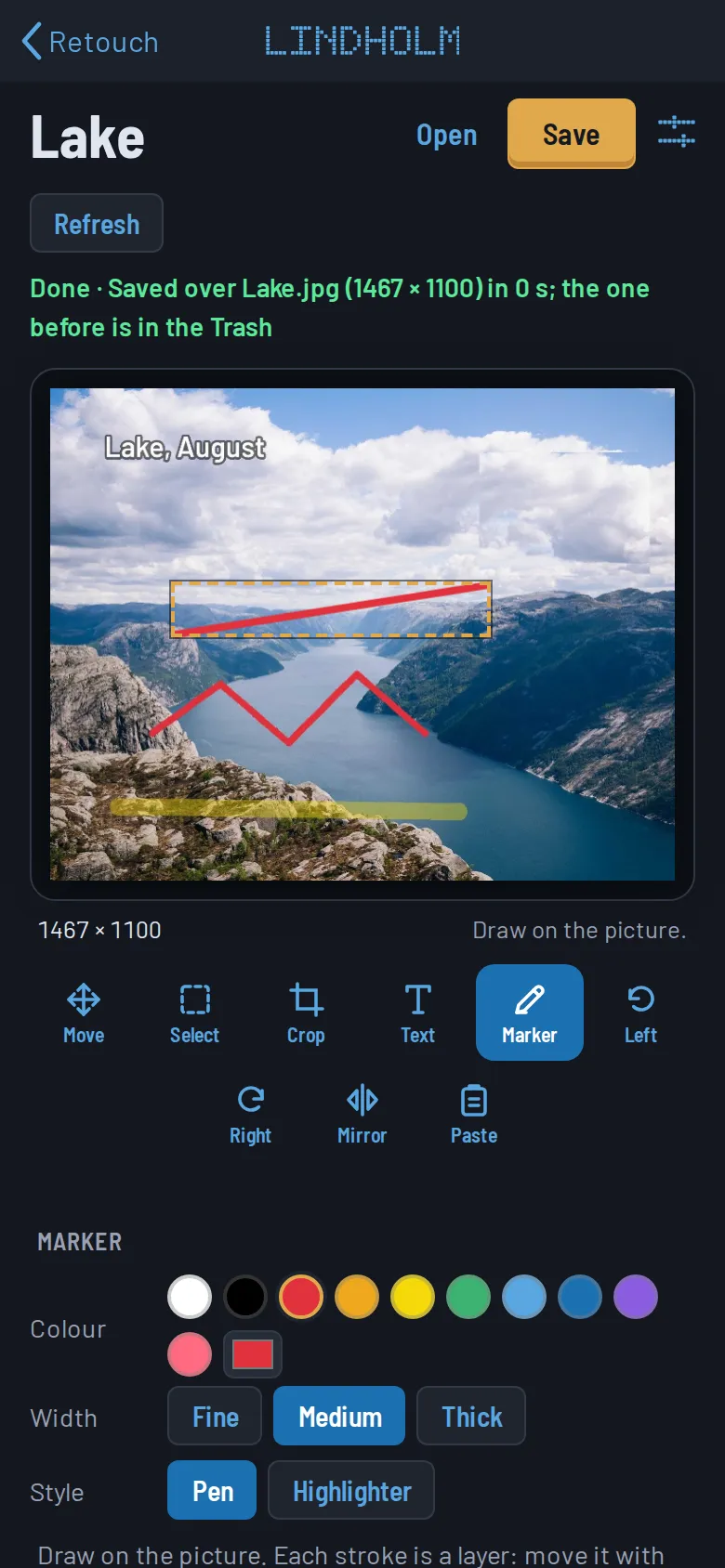
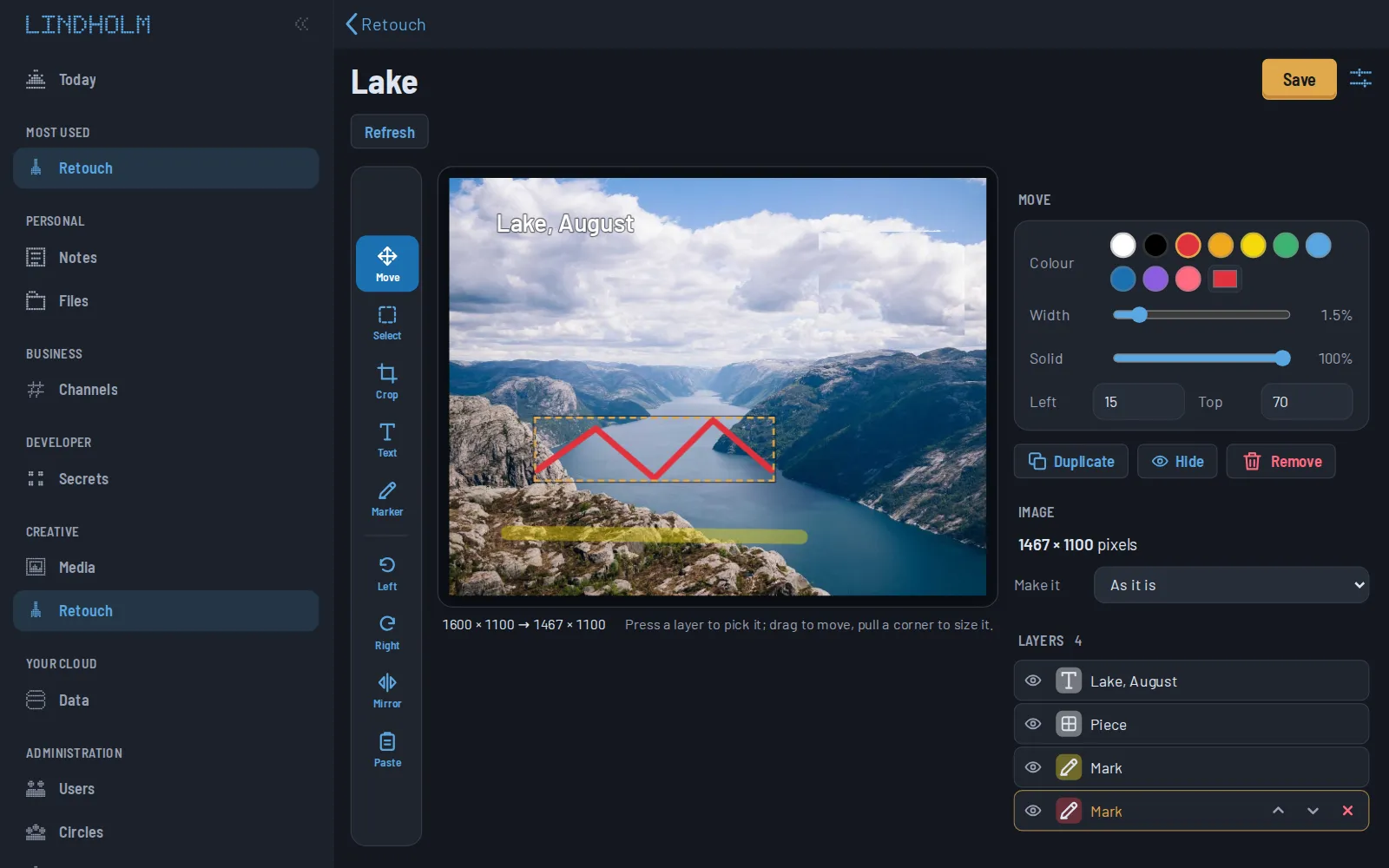
A simple photo editor for the photos in your own drive, laid out like a
picture program: tools down the left, the picture in the middle, the
layers on the right. Crop, turn, mirror, make a picture another size, draw
on it with a marker, lay words on it, copy a part of it and paste it back,
and save it over the photo or as a new file beside it. It is a
Quill
for Cloudmorrow: the editor is Cloudmorrow's photo kit, drawn on the phone,
in the web app, in the terminal and on the command line by Cloudmorrow
itself, and the pictures and the saving are done beside your own server,
with the Pillow it already has. Nothing leaves it.
How it works
- Open Retouch: it starts on your edits. The new button shows the
photos in My Files › Photos (or any other drive you have) and starts an
edit of the one you pick. Or start from a photo in Media (or Files):
Edit this photo on it — a photo's sheet has it, nothing else's —
opens the photo under its own name, with nothing to type first.
- The tools, down the left:
- Select (V), the first tool and the one you come back to: press a
layer to pick it, drag it, pull its corners. Escape, Done, Paste and
words just laid all hand back to it.
- Move (G): the chosen layer follows your hand wherever you press,
for a stroke or a small piece that is hard to take hold of.
- Marquee (M): drag a box on the picture. Copy takes what is in
it and Paste (also ctrl+V) lays it on the picture as a piece you
can move and size; Crop to it crops the picture to the box.
- Crop (C): drag the box, pull its corners, draw a new one, or hold
it to a shape — square, 4 : 3, 3 : 2, 16 : 9, tall — then Done. Keep
all of it undoes the crop.
- Text (T): press on the picture to put words there, in the app's
own letters with a thin dark edge so they read on anything. Type the
words, set the size and pick a colour in the panel; the tool is Select
again at once, so the next press moves or sizes the words.
- Marker (B): draw on the picture. Pick a colour, a width (fine,
medium, thick) and a style: a solid pen, or a see-through highlighter.
Each stroke is a layer.
- Left, Right and Mirror turn and flip the whole picture.
- Layers, at the foot of the right-hand column, where they stay put:
everything you add — words, strokes, pieces — lands on the current
layer, so one layer can hold a lot. New layer makes another to work
on; press a layer to work on it, press it again to name it; the eye
hides and shows it with everything on it; the current one can be
brought forward, sent back, or removed with what is on it. An element
itself can still be duplicated (ctrl+D) or removed (Delete).
- Resize, on the bar above the picture, says what the saved picture
will be: as it is, half, a quarter, a usual width, or any width and
height you type.
- Save (ctrl+S), on the same bar, asks: write over the photo, or save
as a new file by a name. Written over, the photo as it was goes to the Trash for thirty
days, and the edit starts afresh on the saved picture. Saved as a new
file, it lands beside the photo, as JPEG, PNG or WebP by the name's
suffix; the edit keeps its layers for more.
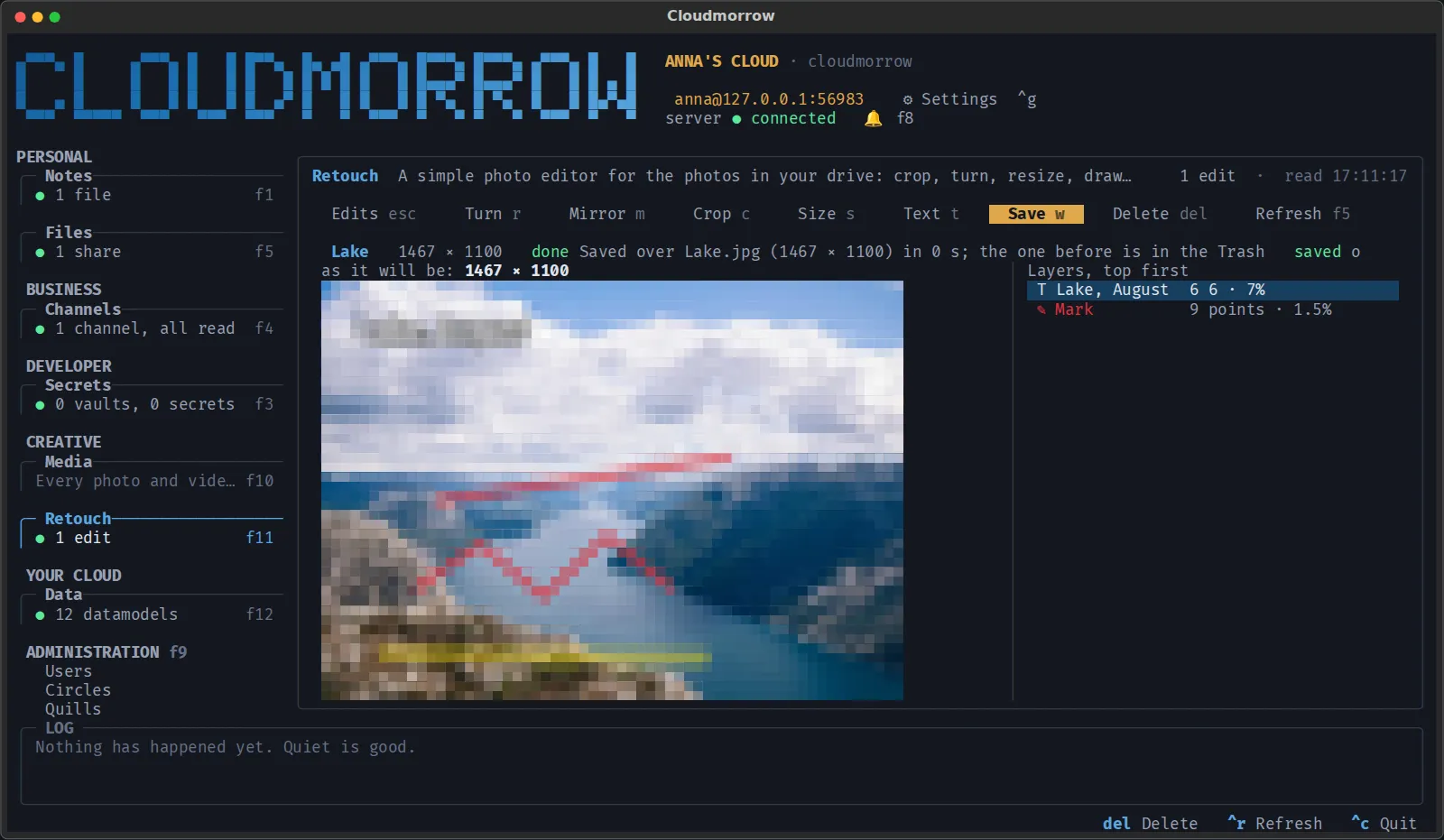
In the terminal the picture is the real one, drawn as it will save, and
every step is a key: r and R turn, m mirrors, c crops (C keeps all), s
sizes, t writes (on the top layer), enter edits an element, k moves it,
shift+↑/↓ restacks it, x removes it; l makes a layer, enter names it, h
hides it with everything on it; w saves. On the command line, cm retouch add beach.jpg, turn, mirror, crop, size, text, move, layers, layer,
rm, picture and save do the same.
What it adds to your Cloudmorrow
|
|
| Datamodels |
uses the foundational file; introduces retouch.edit (one photo being edited: its turn, mirror, crop, saved size, its layers, and how it was last saved) and retouch.layer (an element laid on one of its layers: words, a marker stroke, or a piece of the picture — where, how big, which colour, and its place in the stack) |
| Screens |
Retouch (the edits and the editor: the photo kit) — on the phone, the web app, the terminal, cm retouch, and to your assistant |
| Actions |
Edit this photo (on a photo's sheet — only a photo's — in Media or Files), Save (over the photo, or as a new file by name), Refresh |
| Quills |
requires Media, which shows the photos and videos in your drive and is installed with Retouch |
| Services, APIs |
draw: a program beside the server (services/picture.py), kept running, with Pillow. It serves the pictures API the terminal's viewer draws from (/api/q/retouch/pictures/info, /source, /picture), fills in the sizes the editor leaves blank, and does the saving, through the record API |
What it needs
Media, which comes with the install: the manifest requires the media
Quill ([requires] quills), so installing Retouch installs Media first,
from the catalog, and Media cannot be removed while Retouch is here. Media
works without Retouch.
Nothing else. The renderer uses Pillow, which the server's own Python
has for its thumbnails, and the app's own font files, which the core
ships. The words are drawn in Barlow's Latin letters; other scripts fall
back to Pillow's own letters. A photo of a kind the server cannot write
back (HEIC, GIF, TIFF) is edited all the same, and Save over it saves a
JPEG beside it instead, under the same name; a photo the server cannot
read as a picture at all is still listed, but the web app says it cannot
draw it.
The renderer runs as the administrator who installed Retouch, the way
Quill services do today, so it draws and saves the edits in their drive.
Other people's edits wait for services that run for everyone.
Working on it
See CLAUDE.md. In short: cm quill check, cm quill test
(and --sandbox), then cm quill dev --local. The renderer is tested
without a server in tests/test_picture.py, on pictures Pillow makes,
down to the pixels of a save. It needs a core with the photo kit's layers
and save (Cloudmorrow 0.103.0 or later).