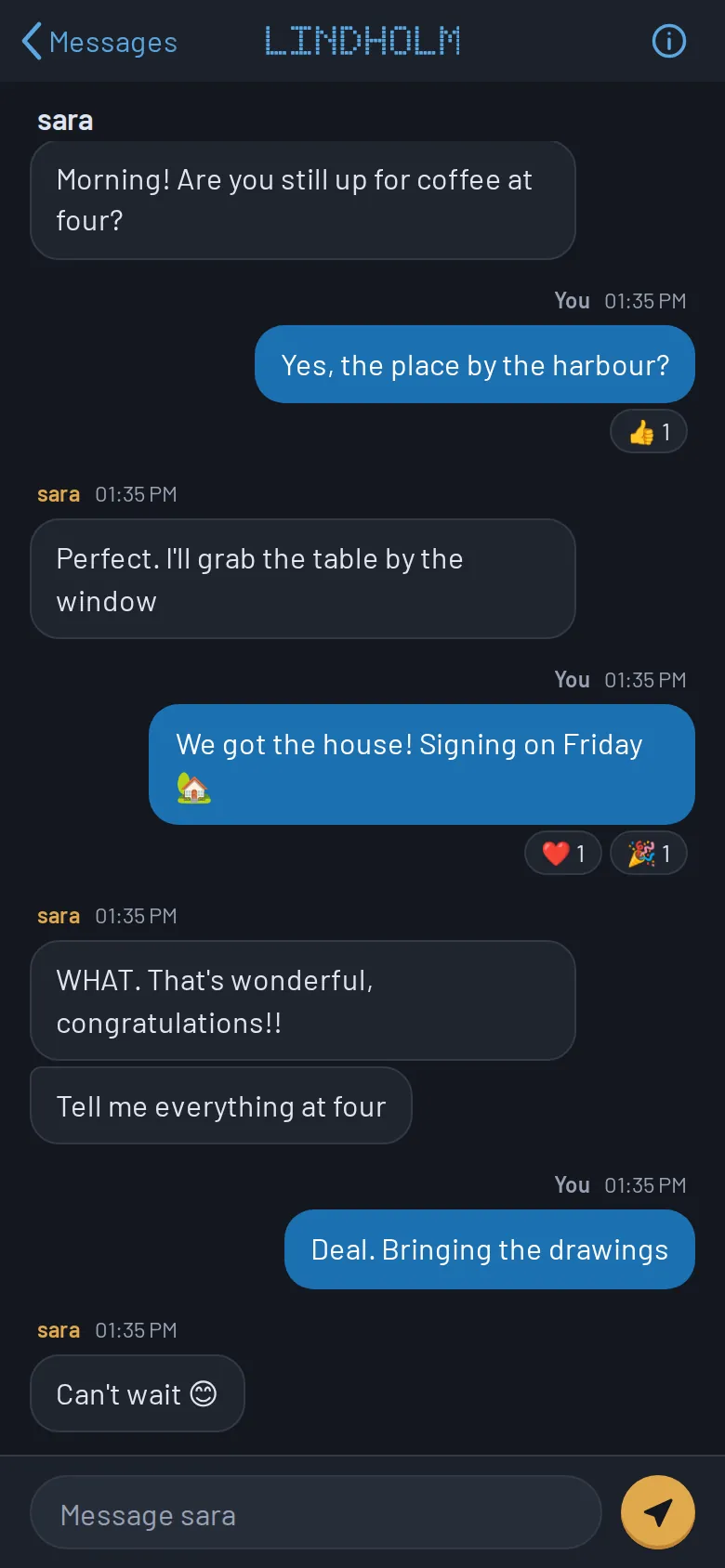
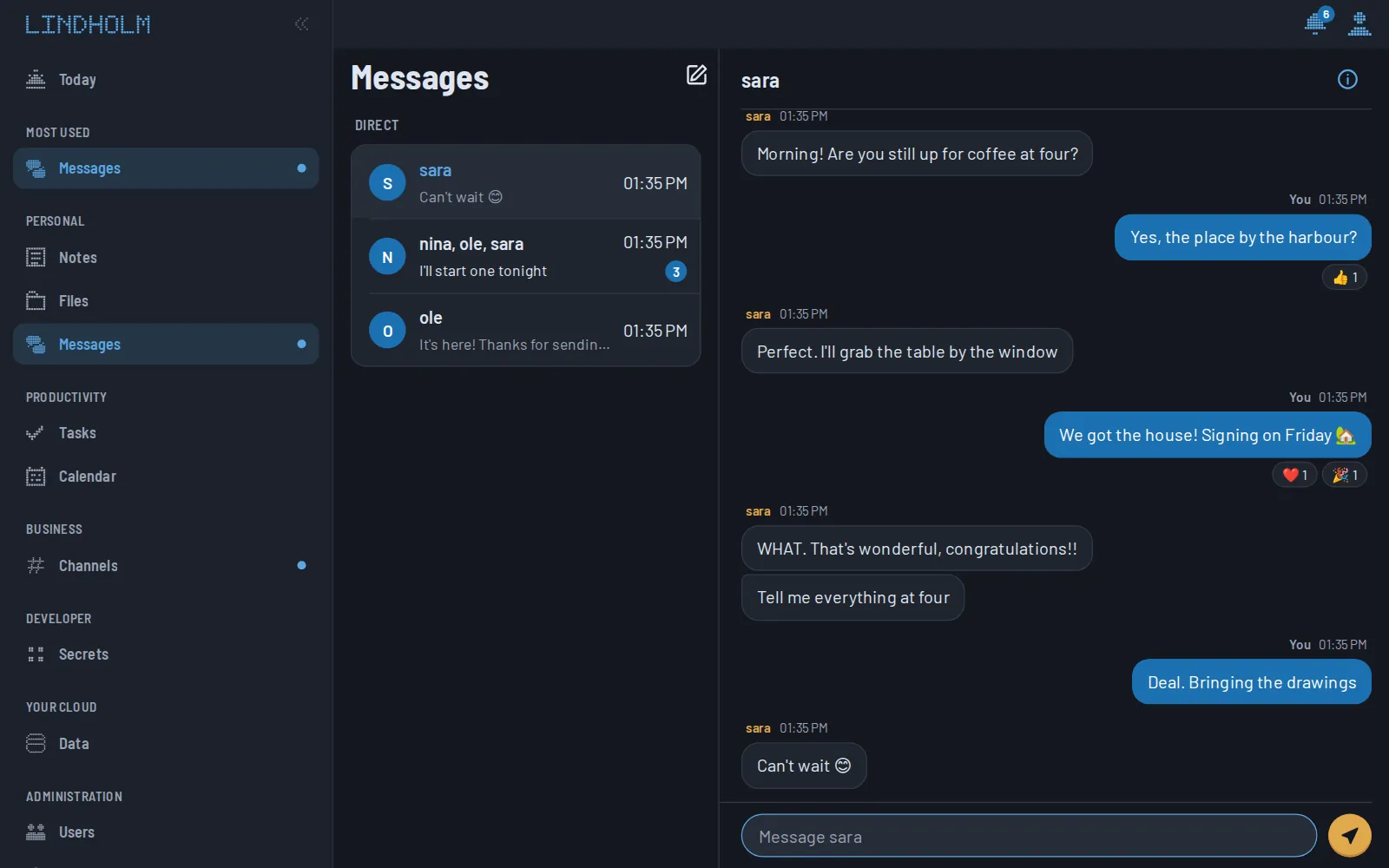
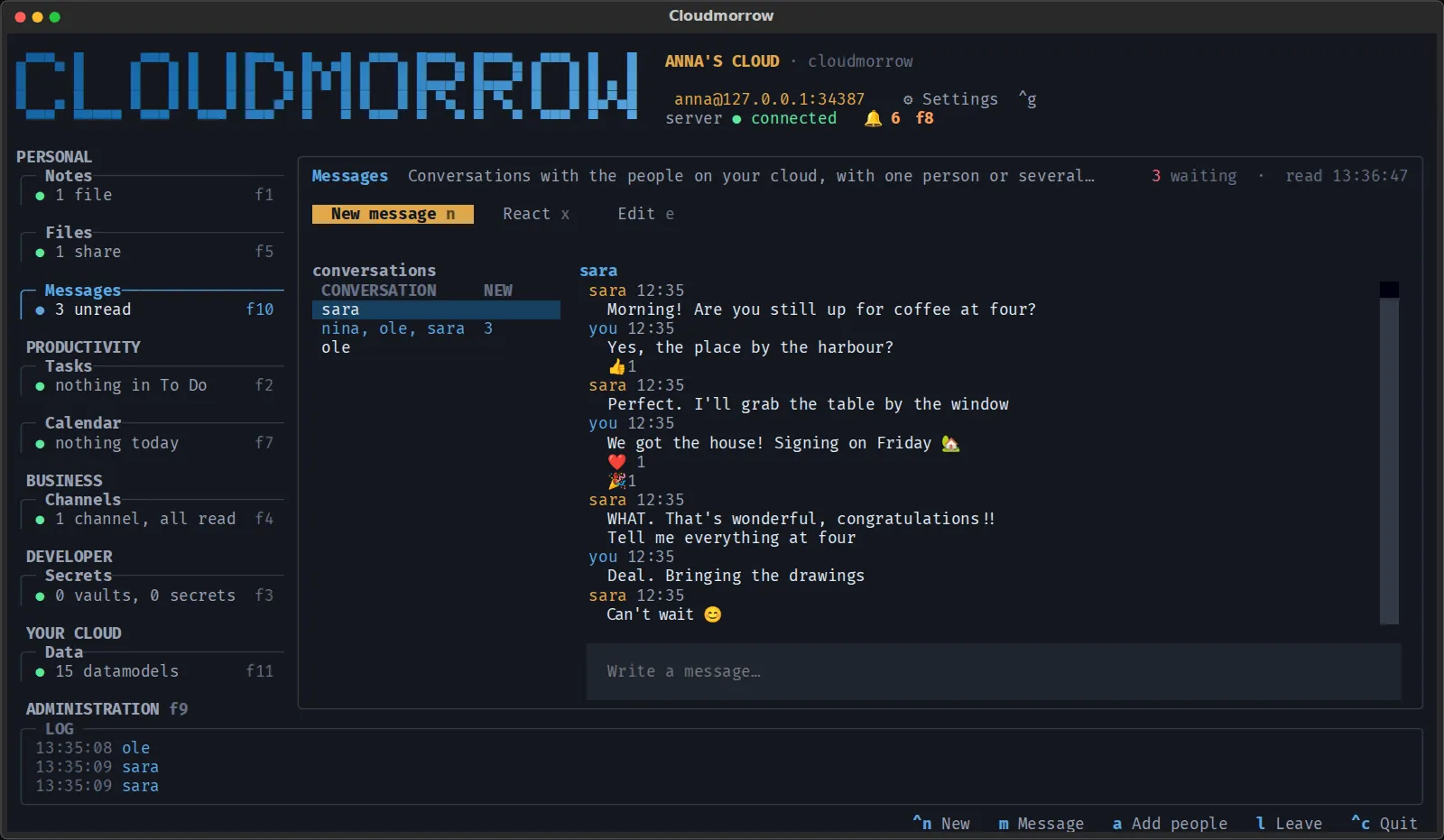
The conversations down the left with what is unread in each, the open one beside them, newest at the bottomin a browser, on a phone, in the terminal: the same screen, drawn by your cloud on each.
What it does
A new message is to the people you pick — one, or several, as pills in a To box — and you are straight in the conversation with exactly them
The conversation with somebody is there whether or not it was a moment ago, from either side; the same people again is the same conversation
Reactions: a ❤️ or a 👍 on a message is one tap, and yours again takes it back
What you have not read is counted beside each conversation and on the app's icon, and a push arrives when somebody writes
Every message sealed at rest on your own cloud; a message is its author's to change or take back
Room for the conversations you have elsewhere: each one says where it is — here for now; Messenger, WhatsApp and the like are for a bridge to bring in and keep here
Add it to your cloud
In your cloud, open Quills: Administration → Quills as an administrator, Me → Your Quills as anybody else. On its Catalog tab, Messages is on the Communication shelf: open it and say yes. Its id, wherever your cloud asks for a quill by name:
id messages
Or on the command line, as an administrator for everyone, with --mine for yourself alone:
$ cm quill add messages
Either way your cloud shows you everything below and waits for your yes.
Standard. The installer offers Messages when you set up a new cloud, so you may have it already. How installing works
What it adds to your cloud
Datamodels
The kinds of data it works with. On a fresh cloud everyone can read and write what it brings the moment it is installed; the install sheet says so, and an administrator narrows it with circles. Records belong to the people who write them, not to the quill: removing it leaves every one where it is. What it adds — fields of its own, datamodels of its own — stays too, unless the administrator removing it chooses to drop them.
Introduces
Conversation messages.conversation
new, from Messages
Who you are writing with: one person, or a group you named.
Namenametext, one linerequiredEncrypted
Kindkindone of Direct, GroupIndexed
Viaviaone of Cloudmorrow, Messenger, WhatsAppIndexed
Addressaddresstext, one lineEncrypted
Outside idoutside_idtext, one lineIndexed
Introduces
Message messages.message
new, from Messages
What somebody said in a conversation.
Conversationconversationlink to Conversationrequired · deleted with its conversationIndexed
BodybodytextrequiredEncrypted
Outside idoutside_idtext, one lineIndexed
Introduces
Reaction messages.reaction
new, from Messages
One person's emoji on a message.
Conversationconversationlink to Conversationrequired · deleted with its conversationIndexed
Messagemessagelink to Messagerequired · deleted with its messageIndexed
Emojiemojitext, one linerequiredEncrypted
Indexed fields are kept plain, so your cloud can sort and filter by them. Encrypted fields are encrypted before they reach the disk.
Screens
MessagesA thread of messages.
Each is a tab, drawn by your cloud itself on every surface:
Phonethe web app, made for the phone
Webthe full web app, in a browser
Terminalthe terminal app
Command linecm messages
Assistanttools for your assistant, as you
Its own code
None. Everything it does is declared in quill.toml and run by your cloud itself.
In its own words
Conversations with the people on your cloud, the way a phone's messages
are: pick who it is to, one person or several, and the conversation with
exactly them is there. Kept on your own cloud, and nowhere else.
A Quill
for Cloudmorrow: install it from the Quill Catalog, or from this repository
with cm quill add --source https://github.com/Cloudmorrow/quill-messages --ref v1.1.0.
(A throwaway cloud made for the pictures, named after nobody real.)
A new message is to the people you pick. The pen opens a To box:
tap a person in the list under it and they become a pill in the box,
with an X that takes them out again; one person, or several. Then you are
in the conversation with exactly those people, writing.
The conversation is already there. Pick somebody you have written
to and the conversation with them opens, whether or not it existed a
moment ago; them picking you finds the same one. The same people again,
in any order, from any side, is the same conversation. It is called after
the others in it.
Reactions. One tap puts your ❤️ on a message; yours again takes it
back. Six to choose from, counted under the line.
Unread, and a push. What you have not read is counted beside each
conversation and on the app's icon, and everybody else in a conversation
gets a push when somebody writes. Opening a conversation, on any device,
reads it.
Yours. Every message is sealed at rest, on your own server. A message
is its author's to change or take back, and nobody else's.
Room for the rest of your messaging. Every conversation says where it
is. Today that is here; the shape is there for a bridge to bring in what
you say on Messenger, WhatsApp and the like, and keep it here. See
Where it goes.
Messages and Channels
Channels is a team's rooms:
#general that everybody is in, named channels with people added and
taken out, threads, mentions and pinned messages. Messages is between
people: a conversation is the people in it and nobody else — nothing is
named, nothing is joined or left, there is no room everybody is in, and
nothing is pinned. They keep their own conversations and messages; install
both and each is what it is.
Using it
A conversation is its people, and that is the access rule: whoever is in
it reads it and writes in it, and nobody else sees that it exists. It is
never made from a form: pick who it is to and it is there — sara alone,
or sara and ole — whether or not it was a moment ago, and the others
picking you finds the same one. A conversation stays the people it was
made between: to write to somebody else as well, pick them all and that is
another conversation.
Everyone can write to everyone on the server; there is no setting for that.
Unread is when you last looked: everything somebody else wrote after
that is unread, and opening the conversation, on any device, moves it on.
Writing in a conversation reads it.
In the web app
The Messages tab: the conversations, with what is unread in each, then
the open one, newest at the bottom; on a computer both side by side. The
pen beside the title is a new message: a To: box, and everybody under
it — tap a name and it is a pill in the box, tap the pill's X and it is
out; type to narrow the list, Enter takes the one name left. Write to
Sara and Ole opens the conversation with exactly them. Tap a message for
its reactions. Push wakes the app the moment somebody writes.
In the terminal app
The Messages card: the conversations on the left, the open one on the
right. n is a new message: space ticks the people it is to, the To line
says who, Enter opens the conversation with them. e deletes one of
yours; on a line, x reacts.
On the command line
cm messages list                      the conversations, with what is unread
cm messages show sara                 the conversation, newest at the bottom
cm messages say sara "coffee at four?"
cm messages react sara 3f2a ❤️        a line is named by the start of its id, as show prints it
A conversation is named by the people in it (sara, or ole, sara);
show prints each line's id in the margin.
Where it goes
Messages 1.0 is the conversations on your own cloud. The point of the next
versions is to collect the rest of your messaging here too — what you say
on Messenger, on WhatsApp, and the like — so that your messages are yours,
on your server, whichever app the other person uses. The shape is laid
down now so nothing has to move later:
A conversation says where it is (via: here, Messenger, WhatsApp), whom
it is with there (address: a number, a handle) and the service's own id
for it (outside_id); a message brought in carries the service's id for
it too, so a bridge never brings the same one in twice.
A bridge is this Quill's own job or webhook, run as each person over
their own conversations, delivering what arrives as a message by the
outside sender into the right conversation — the core's deliveries, which
Mail already uses — and sending on what is written here in a conversation
held elsewhere.
Each person connects their own account on a settings screen behind the
gear, never a setting of the server's; the service's host goes in
[[fetch]], the token in their vault.
None of that is built yet, and the services set the terms: Messenger and
WhatsApp are reached through Meta's platform, which wants a developer
account and an approved app. Until then, nothing in Messages reaches
outside your server.
What it adds to your Cloudmorrow
cm quill check prints this for you; it is here for the catalog page.
Datamodels
introduces messages.conversation (a space between the people picked), messages.message and messages.reaction
Screens
Messages, a thread of conversations, on the phone, the web app, the terminal, cm messages, and to your assistant
Code
none: everything is declared, and the core's spaces and thread kit do the rest; reaches nothing outside
Working on it
uv sync                  # .venv with Cloudmorrow and pytest
cm quill check           # the manifest, as a server would install it
cm quill test            # tests/, against the real record store and gate
cm quill test --sandbox  # the same, with quill.py in the sandbox
cm quill dev --local     # a throwaway server here, reinstalled as you save
The pictures in screenshots/ (<screen>-desktop.webp 1600×1000,
<screen>-phone.webp 780×1688, <screen>-tui.webp 1600×930, captioned in
quill.toml's [[screenshots]]) are taken from a throwaway cloud named
after nobody real, never from anybody's own cloud. Retake them when the
screen changes.